End-to-end encryption Only you hold the key

Quick notes on your own server, private by design.

Maple Notes is a calm place for the things you jot down every day: a timeline of notes, todo lists, daily notes and a habit tracker. It runs in one Docker container and always keeps its database encrypted. Turn on end-to-end encryption and your browser encrypts your notes with a key only you hold, so not even the server can read them.

  • Free for noncommercial use
  • Images for amd64 and arm64
  • Your server, your data
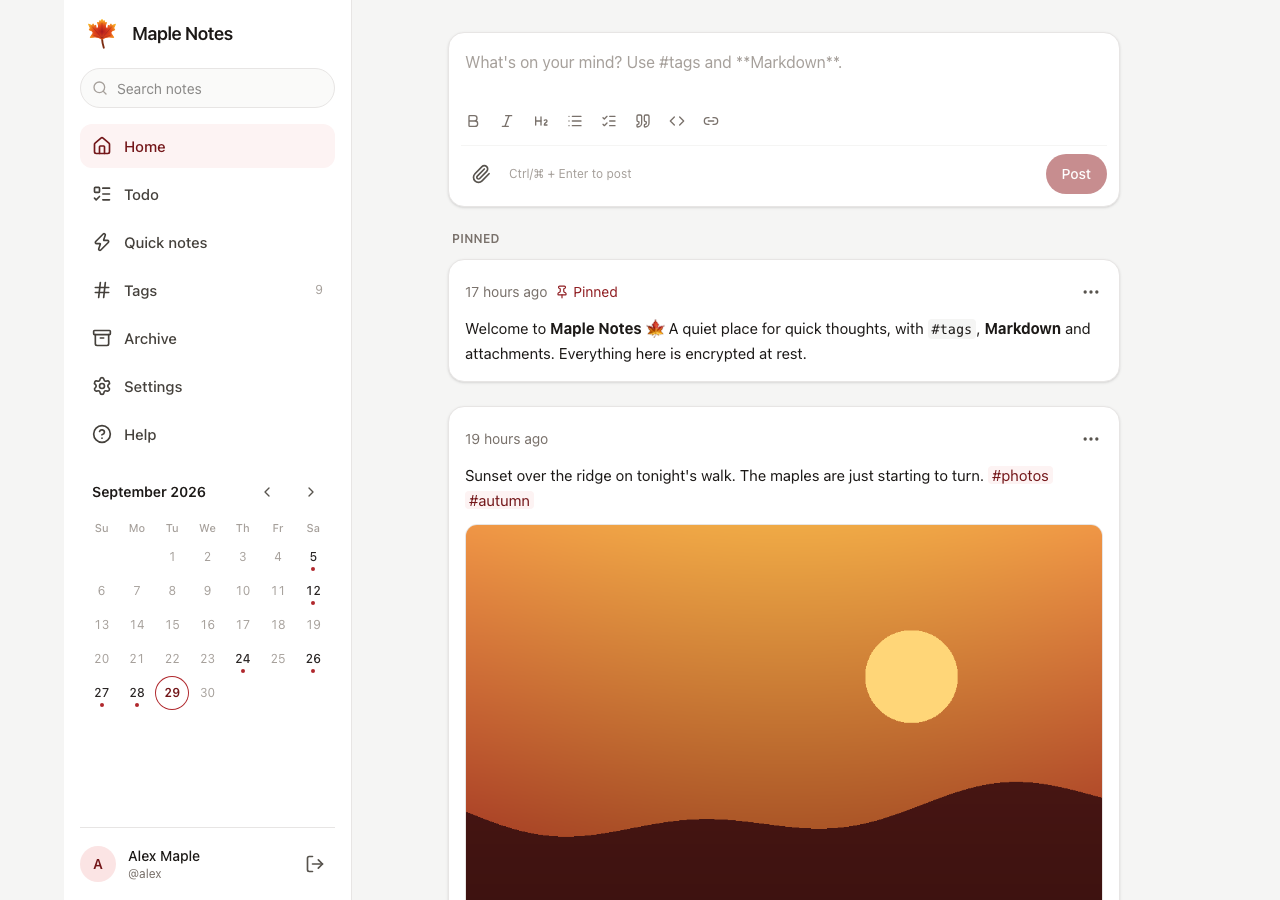
The Maple Notes home page: a box for writing a note above a timeline of notes with tags and a photo.

Everything a notebook needs, and nothing it doesn't

Each account turns the extras on or off in Settings, on every device at once. Turning something off hides it and deletes nothing.

Write

  • Timeline. Newest notes first, pinned notes on top, and a box for the next one always ready.
  • Markdown and tags. Task lists, tables and code, a formatting toolbar, and nested tags such as #work/meetings.
  • Attachments. Photos, video, audio and any other file, by picker, paste or drag and drop. Photos open full screen, videos play in the note, and photos can be shrunk before they upload.
  • Search. Finds any word in your notes, encrypted ones included.

Organise

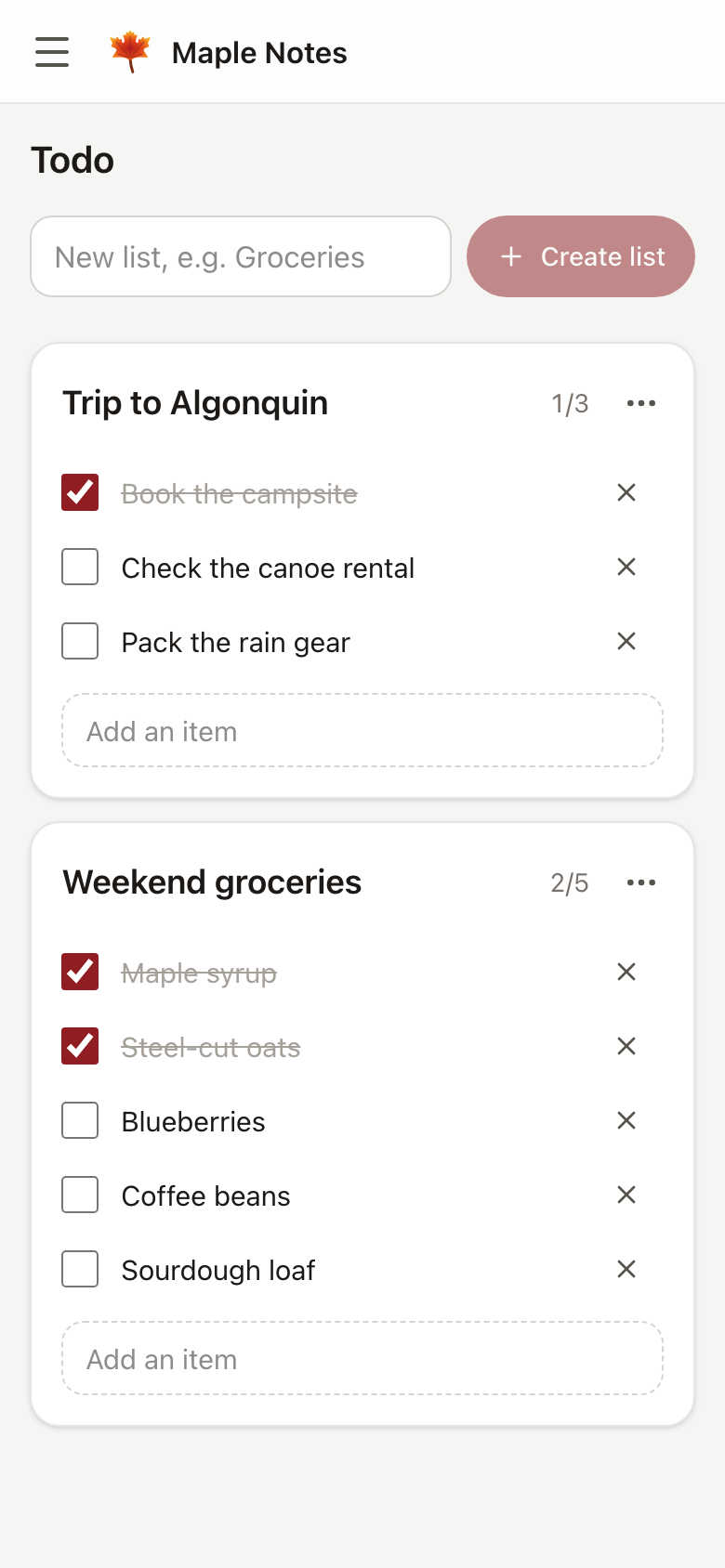
  • Todo lists. Checklists in their own tab, to tick, rename, pin and archive, or to edit all at once as Markdown.
  • Quick notes. A scratchpad kept out of your timeline, until a note is worth keeping.
  • Daily notes. Today's note waits at the top of Home, titled with the date.
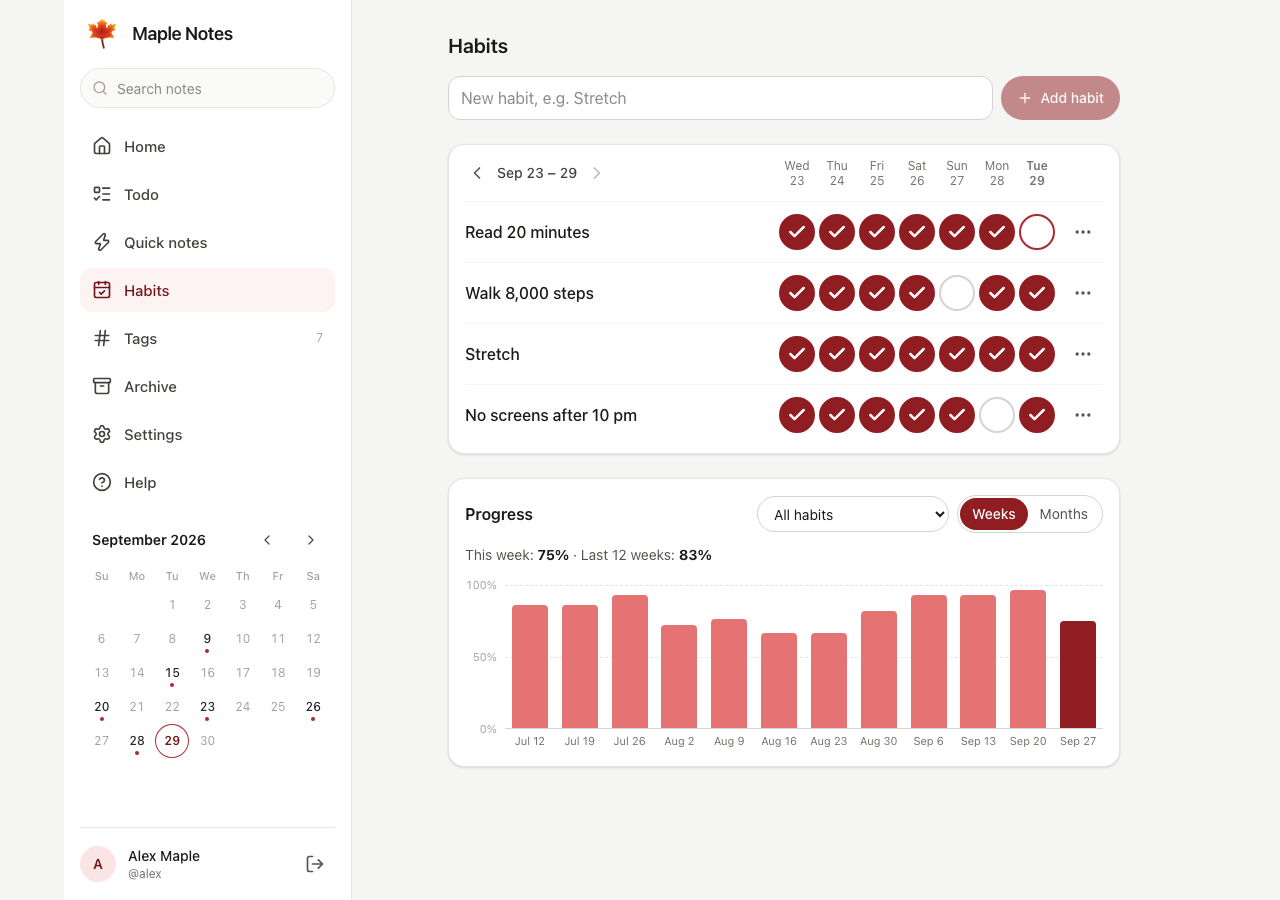
  • Habit tracker. Tick off the days you keep each habit, and follow the weeks or months in a chart, with streaks, or a whole month in a calendar.
  • Calendar, tags and labels. The days you wrote on, every tag with its count (suggested as you type one), and coloured labels you put on notes by hand.

Keep

  • End-to-end encryption. Optional for each account: your notes, tags and files are encrypted in your browser, with a key only you hold. How it protects you
  • Export and restore. Everything as a ZIP of Markdown, plain text or JSON, with your files, ready to restore on any Maple Notes server.
  • A trash for second thoughts. Deleted notes wait 30 days, and Undo brings one straight back.
  • Accounts. Room for the whole household. Administrators manage accounts, can limit each one's storage and give the app its own name and icon, but never see anyone's notes.
  • Your look. Light, dark or your device's setting, seven accent colours, and the side menu in your own order and text size.
  • Help built in. A user guide in the app explains every feature.
  • Installs as an app. Add it to your phone's home screen or your computer, and it opens in its own window.
  • Offline on Android. Falcon Notes, the companion app, keeps the same kind of notes on your phone with no server. How they work together

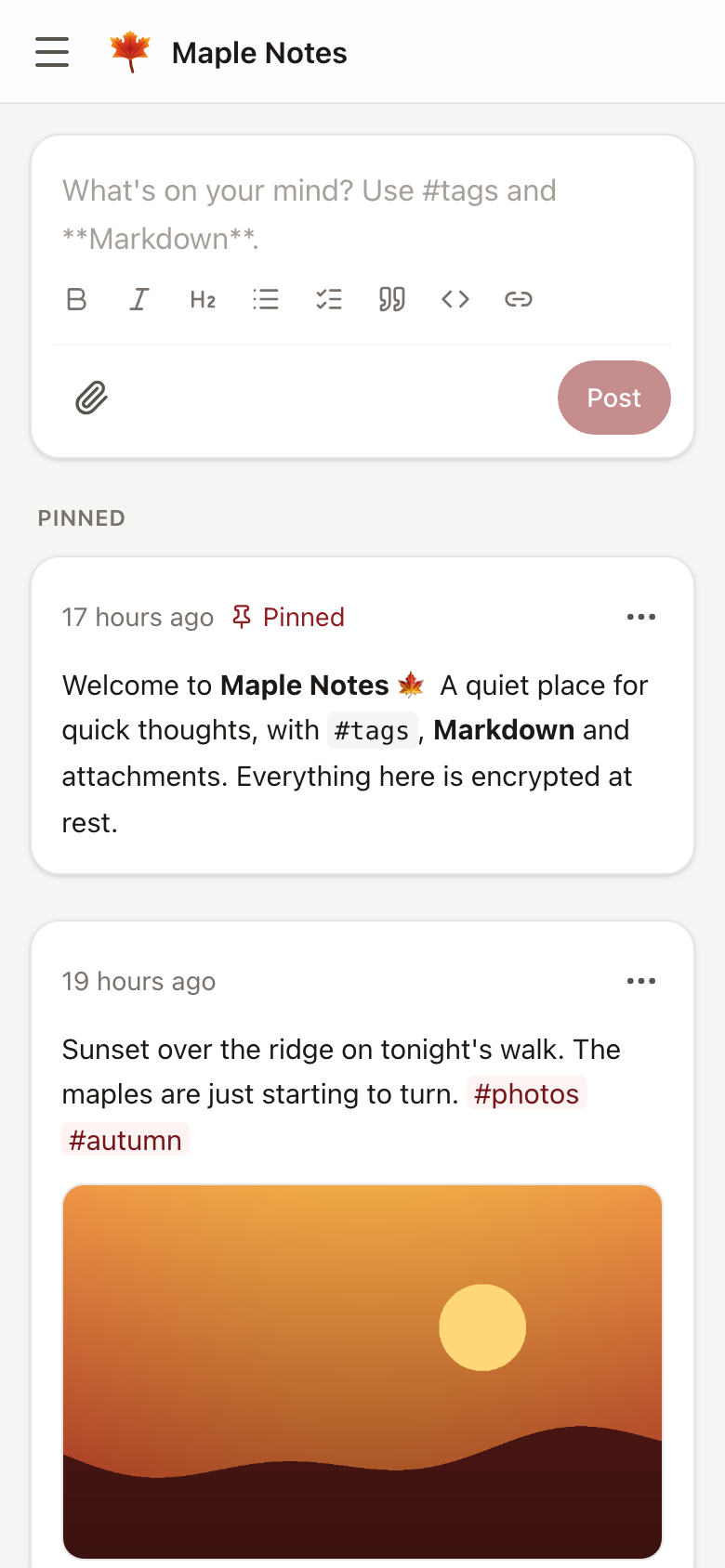
At home on a desk or in your pocket

Private by design, honest about the limits

The database is always encrypted. On top of that, each account chooses how its notes and files are protected, and can change its mind later: existing notes are converted safely.

Encrypted at rest Default

Notes and files are encrypted with the account's own key, which the server holds. A stolen disk, a copied volume or a leaked backup shows only ciphertext.

End-to-end encryption Strongest

Your browser encrypts notes, tags, file names and files with a key only you hold. The server stores ciphertext it cannot read, and a recovery key lets you reset a forgotten password.

Turn it on in Settings → Privacy & security → Encryption. How it works

Off

Only the database encryption applies: notes are still encrypted on disk, as part of the database.

  • Your password never leaves the browser. It is turned into a key with Argon2id, and the server keeps only a hash of that key.
  • A strict Content-Security-Policy, antiforgery tokens, and sessions checked on every request.
  • One small container: a chiseled image running as a non-root user, with a read-only filesystem and no Linux capabilities in the provided setups.

End-to-end encryption protects what the server stores, but the app itself comes from the server, so someone who takes over the server could change it. The threat model explains what each mode protects against and what the server can still see.

Install it in a few minutes

You need Docker and a master key. Ready-made images for amd64 and arm64 are published at ghcr.io/supunsarachitha/maplenotes.

Docker Compose

git clone https://github.com/supunsarachitha/MapleNotes
cd MapleNotes
cp .env.example .env
# The master key: put it after MAPLE_MASTER_KEY= in .env
openssl rand -base64 32
docker compose up -d --build

Then open http://localhost:8080 and create the first account. It becomes the administrator.

docker run

# The master key: keep what this prints
docker run --rm \
  ghcr.io/supunsarachitha/maplenotes:latest generate-key

docker run -d --name maple-notes -p 8080:8080 \
  -e MAPLE_MASTER_KEY='<your key>' \
  -v maple-data:/app/data \
  --read-only --tmpfs /tmp --cap-drop ALL \
  --security-opt no-new-privileges:true \
  --restart unless-stopped \
  ghcr.io/supunsarachitha/maplenotes:latest

Portainer

Paste the stack into Stacks → Add stack and deploy it as it is. It creates the master key on first start, in its own volume. There are also stacks for HTTPS by IP address, without a domain name, and for Nginx Proxy Manager.

The master key

Before its first start, Maple Notes needs one secret: the master key. It encrypts the database, the account keys the server holds and the keys that sign sessions. It is 32 random bytes written as base64, 44 characters long, and either command prints a new one:

# Anywhere Docker runs, Windows included
docker run --rm ghcr.io/supunsarachitha/maplenotes:latest generate-key

# Linux or macOS
openssl rand -base64 32

Give it to Maple Notes as MAPLE_MASTER_KEY, or put it in a file and set MAPLE_MASTER_KEY_FILE to that file's path. The Portainer stacks create the key for you on first start; to read it, run docker run --rm -v maple-notes-key:/key:ro alpine cat /key/master.key.

Create the master key once and never change it: a different key cannot open the data that already exists. Keep a copy apart from your backups, in a password manager: without it, nobody can recover the data.

Other devices need HTTPS. Browsers allow the encryption Maple Notes does in the page only on HTTPS or localhost, so put it behind a reverse proxy. The README has complete setups.

Try it with sample data

Open the live demo, or your own server, create an account, and restore a demo backup in Settings → Backup & data: notes, todo lists, daily notes, habits, nested tags, photos, a video and a voice memo. The live demo is public, so don't keep anything private there.

Offline on Android: Falcon Notes

Falcon Notes is the offline companion of Maple Notes: an Android app with the same timeline, todo lists, daily notes and habit tracker, based on version 1.8.0. It needs no server, no account and no internet permission, and keeps your notes on the device, always encrypted.

The two do not sync, but each restores the other's backups. Export in one, under Settings → Backup & data, and restore the ZIP in the other, with dates, pins, archive state and files. Labels do not move between the two yet.

Source-available

Maple Notes is released under the PolyForm Noncommercial License 1.0.0. You may use, change and share it for any noncommercial purpose; commercial use needs a separate license from the copyright holder. Third-party components keep their own licenses, listed in the notices.